

A private key wallet relies on one thing above all to manage its funds: a private key. It’s used inside the wallet to sign transactions and to confirm that a user actually has the right to control the cryptocurrency stored on a given address.
In this article, we’ll break down what a private key is, how it works inside a wallet, and how it’s different from a public identifier.
What Is a Private Key of a Crypto Wallet
So, what is a private key wallet built around, exactly? A private key is a set of characters used to manage cryptocurrency. In simple terms, it’s the secret data used to create digital signatures and control funds.
It might look something like this: 7f3a9c1e5b8d2a4f6c0e9b7d3a1f5c8e2d4b6a9f0c3e7d1b5a8f2c6e9d4b7a1.
It’s important to understand that information about your funds lives on the blockchain, while the wallet private key is used to create the digital signature that authorizes an operation.
Public Key vs. Private Key: What Can You Show Others
A public key can be shared with other participants, while a private key must remain secret. Public and private keys are mathematically linked and are used together in cryptographic operations — together they make up a crypto wallet private key pair.
Why You Need a Public Key
A public key is used to verify a digital signature. For example, a user sends USDT. The wallet signs the transaction with the private key, after which the network verifies the signature using the matching public key.
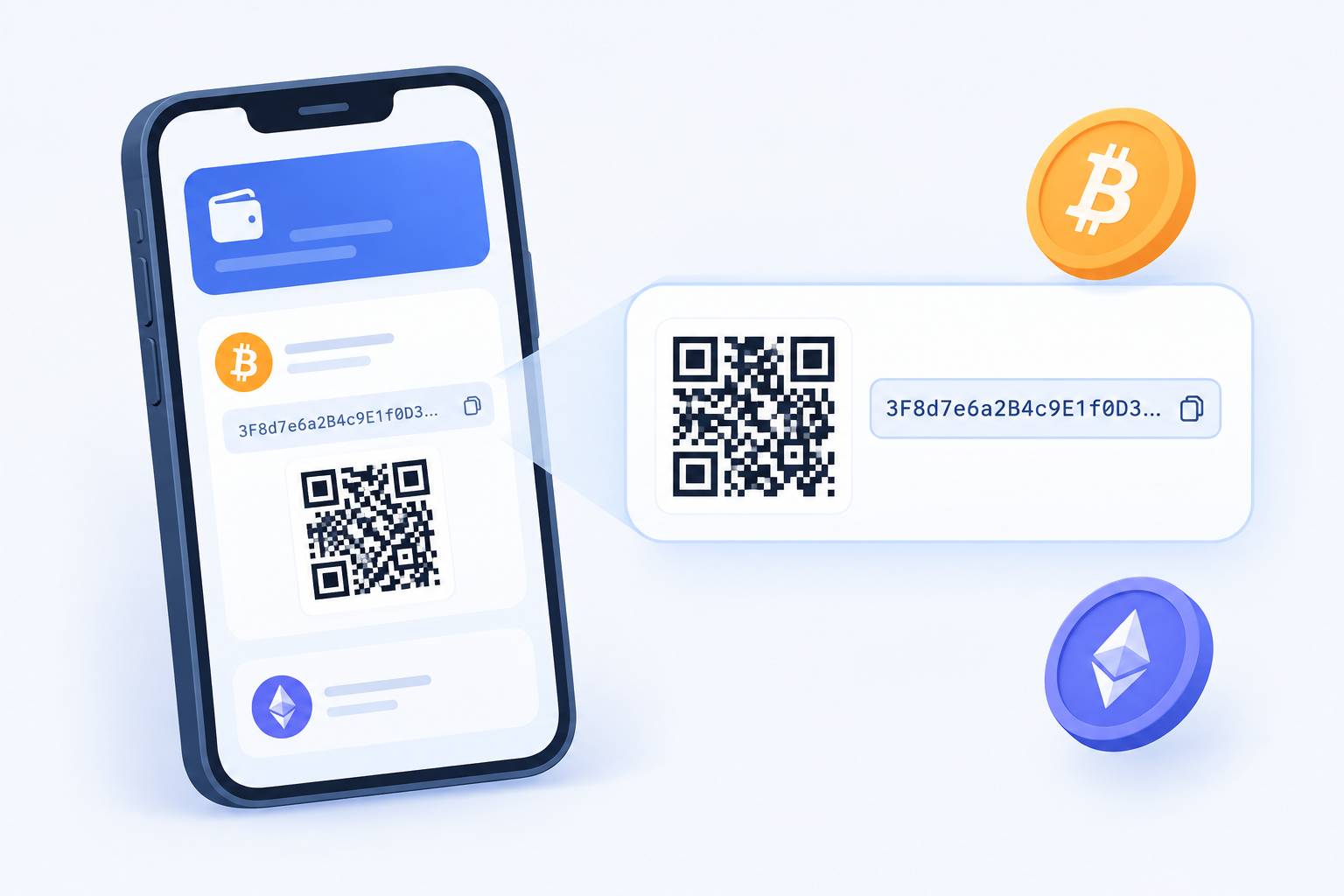
If the check succeeds, the blockchain confirms that the operation was signed with the correct key.
A public key can also play a role in generating an address. The address itself and the public key aren’t the same thing — the exact mechanism depends on the blockchain and the address format.
Why You Need a Private Key
When sending cryptocurrency, the wallet signs the transaction with the private key. The blockchain checks this signature, and if everything matches, it processes the operation.
You don’t need to enter the key before every transaction. The wallet stores it and uses it automatically when confirming an operation. That’s exactly why a private key wallet needs to be protected carefully. If it falls into the wrong hands, that person can sign transactions and control the funds themselves.
What Happens to Your Crypto If You Lose the Key
Losing a private key can mean losing access to your funds for good. If there’s no backup, there’s no way to recover the key through the blockchain. There’s no support desk on the blockchain that can issue a new key to replace the one you lost.
Is a Wallet’s Private Key the Same as a Seed Phrase?
A private key is used to sign operations, while a seed phrase serves as the original tool for recovering a wallet and the keys linked to it.
A seed phrase is made up of a set of words. Depending on the standard, it can be 12, 15, 18, 21, or 24 words long. A user can import it into a wallet to restore the necessary keys and addresses.
That’s why a seed phrase should never be shared with anyone else, either. Anyone who gets hold of it can access the cryptocurrency from a completely different device.
How to Protect the Private Key of a Crypto Wallet
The main rule is simple — never share your private key with anyone. Don’t send it over messaging apps, don’t keep a photo of it in your phone’s gallery, and never type it into an unfamiliar website.
For storing funds, a hardware wallet is a solid option. It lets you keep the key inside the device itself and sign operations without ever handing the secret over to a third-party service.
If you’re relying on a seed phrase, it’s best to store the backup somewhere separate from the device that holds the wallet.
It’s also worth double-checking the transactions themselves. Even a well-protected wallet private key won’t help if the user signs a malicious operation on their own.
Why the Key Should Never Be Shown or Sent to Anyone
A private key lets its holder create valid digital signatures. The blockchain doesn’t check a passport or verify someone’s identity — the network checks the cryptographic signature instead.
If an attacker gets hold of the key and produces a correct signature, the blockchain can treat the operation as authorized by the actual owner.
That’s why any request to send over a private key or seed phrase is a serious red flag. Wallet and service staff should never ask you to reveal this kind of data.
The Private Key in Crypto Office
In Crypto Office, the private key is used to manage funds and to transfer a profile when switching to a new Telegram account.
But what is wallet private key access actually used for here? If a user wants to withdraw funds to another wallet, the private key and seed phrase make it possible to restore access to the assets and move them to the addresses needed.
To get this data in Crypto Office, you need to:
- Open Crypto Office in Telegram.
Go to the wallet settings.
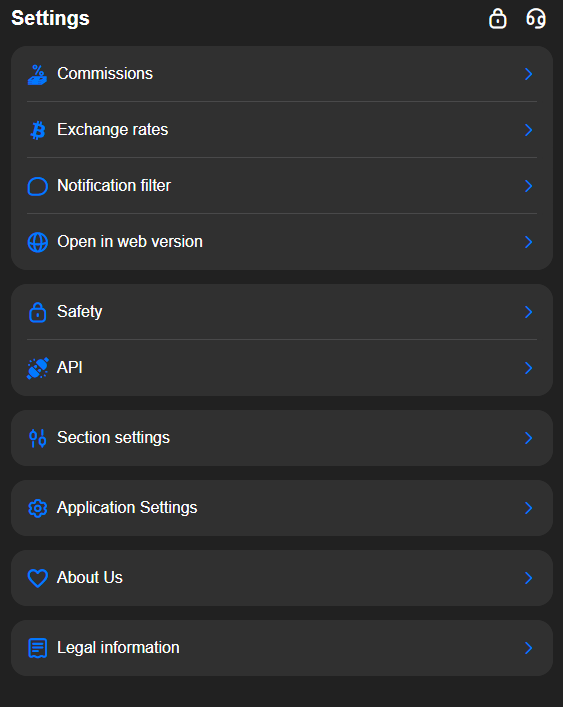
Select “Security.”
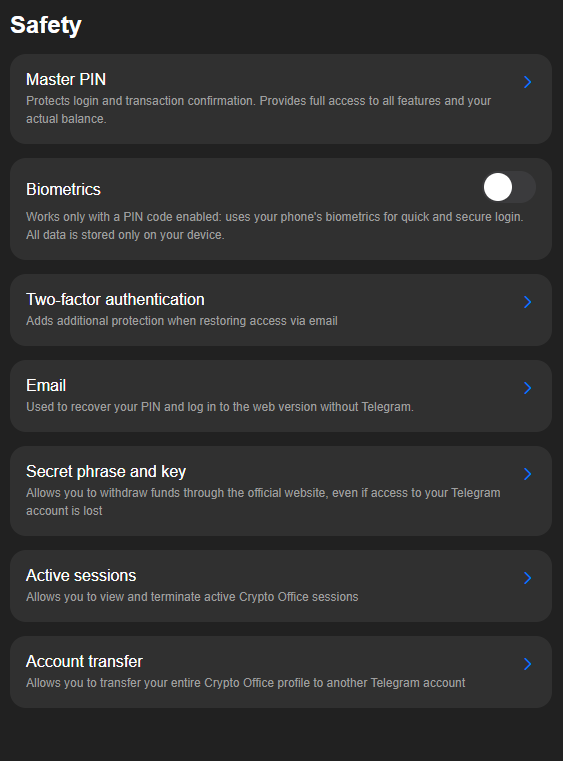
- Tap “Secret Phrase and Key.”
Select “Set Up Seed Phrase and Key.”
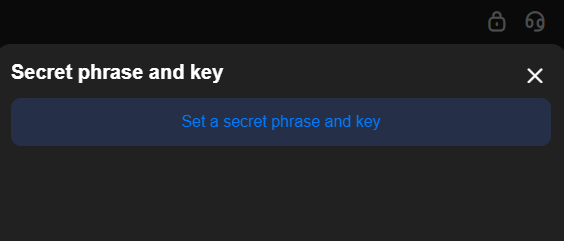
Enter the answer to the security question and tap “Continue.”
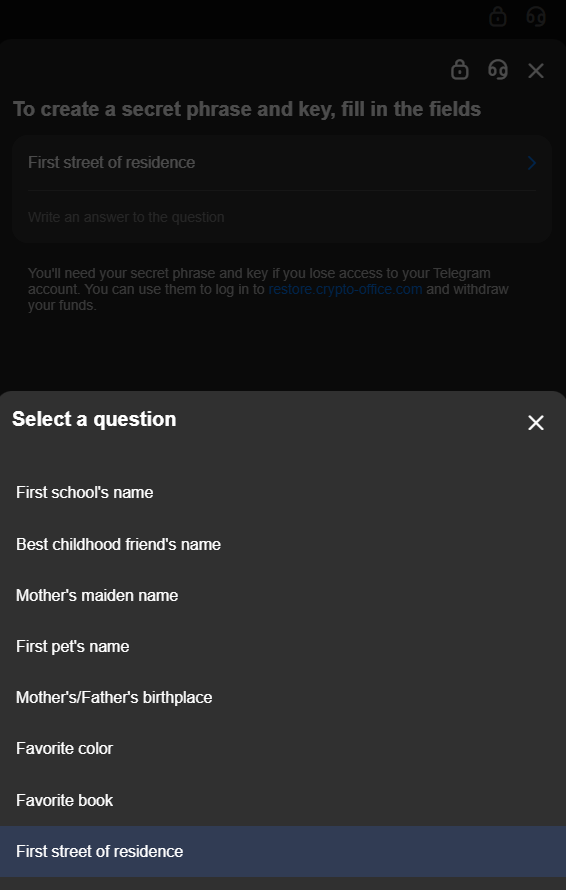
Confirm the creation of the private key and seed phrase.
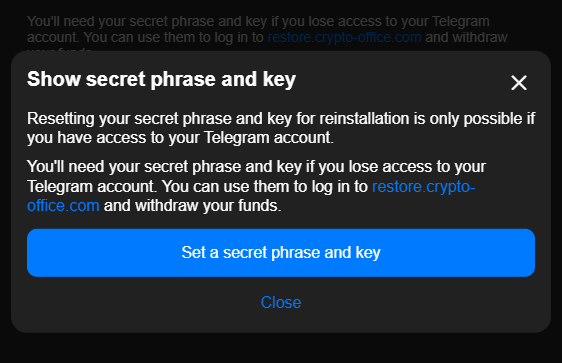
After confirming, the user receives the seed phrase and the private key. These need to be saved somewhere safe.
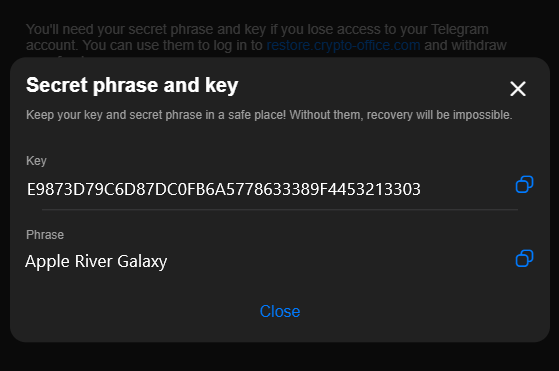
This same data also lets you transfer a Crypto Office profile, along with its settings, to a new Telegram account — the same principle you’d use to import wallet using private key on any other supported wallet app.
How to Recover Access Without the Key: Phrase, PIN, and 2FA
For everyday access to a Crypto Office profile, you don’t need to enter your private key each time. Other mechanisms handle authorization and account protection instead.
A PIN code and two-factor authentication help confirm access to the profile and protect it from outsiders. That said, neither one replaces the private key.
The private key is tied to control over funds and profile transfers, while the PIN and 2FA are tied to protecting access to the account itself.
Why an Account Needs a PIN Code and Two-Factor Protection
A PIN code adds an extra barrier inside Crypto Office. It helps protect the wallet if someone else gains access to the user’s Telegram or device.
2FA adds a second layer of identity verification. In Crypto Office, it can also be used to recover access to the wallet through email.
Conclusion
A private key is a critical part of protecting a crypto wallet. It confirms a user’s right to control their funds and sign transactions. That said, a key can be used in different ways depending on the mechanics built into a particular wallet or service. In Crypto Office, the key is also needed to move funds to another wallet and to transfer a profile with its settings to a new Telegram account. A private key wallet must always be kept secret. If it ends up in the wrong hands, the user can lose control over their assets entirely.
Michael Turner knows his stuff when it comes to crypto and blockchain. He puts out content that's not only well-researched but also easy to understand, helping people get a handle on managing their digital assets.